![Mallard Bay Logos-01.png]](https://resources.mallardbay.com/hs-fs/hubfs/Mallard%20Bay%20Logos-01.png?height=50&name=Mallard%20Bay%20Logos-01.png)
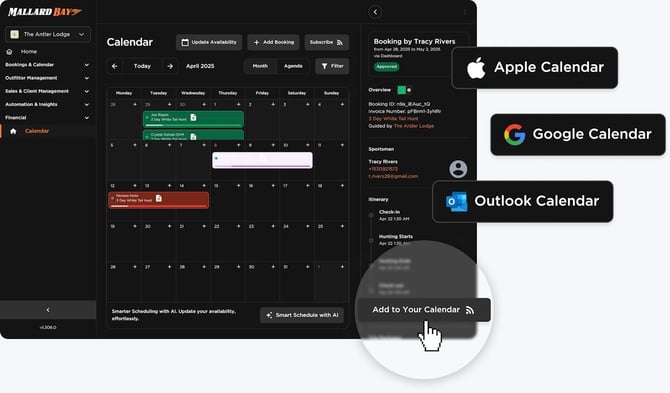
Go to Integrations, then Calendar, to set up any sync. Use Import to bring outside blocked dates into Mallard Bay, and Export to send Mallard Bay dates to another platform.
Google Calendar
This is usually two separate one-way syncs: Google to Mallard Bay using an imported Google Calendar ICS link, and Mallard Bay to Google using a Mallard Bay export link subscribed to in Google Calendar. Together they give practical two-direction visibility, but it's not a live two-way booking integration.
- In Google Calendar, open the calendar's settings and copy its iCal/ICS address.
- In Mallard Bay, go to Integrations > Calendar > Import and paste the Google Calendar ICS link.
- Select the listing, lodging, or resource this calendar should block, then save. Google events now block Mallard Bay availability.
- To send Mallard Bay dates to Google, go to Integrations > Calendar > Export and create a new export.
- Copy the Mallard Bay ICS export URL, then in Google Calendar add a calendar from URL and paste it in.
Google controls how often it refreshes subscribed calendars, so updates aren't instant, and imported Google events only block dates; they don't become full bookings.
Airbnb
Airbnb sync also works as two one-way ICS connections: Airbnb to Mallard Bay blocks Mallard Bay availability when Airbnb has a reservation, and Mallard Bay to Airbnb blocks Airbnb availability when Mallard Bay has a booking. Together this functions like two-way availability sync, but it's calendar-only, not a full booking, payment, or customer sync.
- In Airbnb, go to the listing's calendar and copy its calendar export/iCal link.
- In Mallard Bay, go to Integrations > Calendar > Import, paste the Airbnb ICS URL, and select the matching Mallard Bay listing.
- To send Mallard Bay dates to Airbnb, go to Integrations > Calendar > Export, select the matching listing, and copy the Mallard Bay ICS export URL.
- In Airbnb, use its option to import or sync an external calendar and paste in the Mallard Bay ICS URL.
Airbnb controls its own refresh timing, so changes may not appear right away. Imported Airbnb events block dates only; they don't create Mallard Bay bookings with guest details or payments. Make sure the same listing is connected in both directions so you don't block the wrong resource.
FishingBooker
FishingBooker support depends on whether FishingBooker gives you calendar import and export links for your listing. If it offers both, you can set up FishingBooker to Mallard Bay and Mallard Bay to FishingBooker the same way as above. If it only offers one side, that other side has to be managed manually.
- In FishingBooker, check the calendar or availability settings for an export, iCal, or ICS link.
- If it exists, copy it, then in Mallard Bay go to Integrations > Calendar > Import and paste it in, matching it to the right listing.
- To send Mallard Bay dates to FishingBooker, create an export in Integrations > Calendar > Export, then paste that URL into FishingBooker's external calendar option, if it has one.
If FishingBooker doesn't support ICS for your account, you'll need to manage availability manually on one or both sides.
Call or text Mallard Bay at (225) 577-5397 if you want help setting up any of these syncs.